Purchase order reports
Purchase order reports are designed to give you an insight into your company’s procurement activity to monitor transactional details and overall trends. For example, users can view the line details in the Purchase Order reports. Each header field can be removed or added to the template and data can sorted or filtered accordingly . This detailed view breaks down purchase orders by product. Use this report to see details of which products are ordered and item quantity, product cost and total product cost per order. This report is filtered by date according to the data the purchase order was authorised. The user can see all products ordered during the period. However, it will not include additional services, such as carriage or labour as they are not considered physical stock so this may cause a discrepancy from the overall order total.

The list below are the different fields available on the report with an explanation.


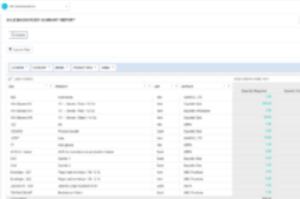
The column headers can be moved left or right with the most important going to the left hand side, so order the sub totals from that reference. for Example the image below the left hand Column is the SKU with subtotal with everything in product order. If you move the supplier to the left hand column instead, it will then total all the product purchase to the supplier in that time frame.


The configure layout setting allows you to add new fields to the table. An example of this is brand, family and category.

As you can see `brand` has been added to the purchase order details table.
The report can also be exported to excel for further analysis, develop charts, or pivot tables.

https://inventory.dearsystems.com/